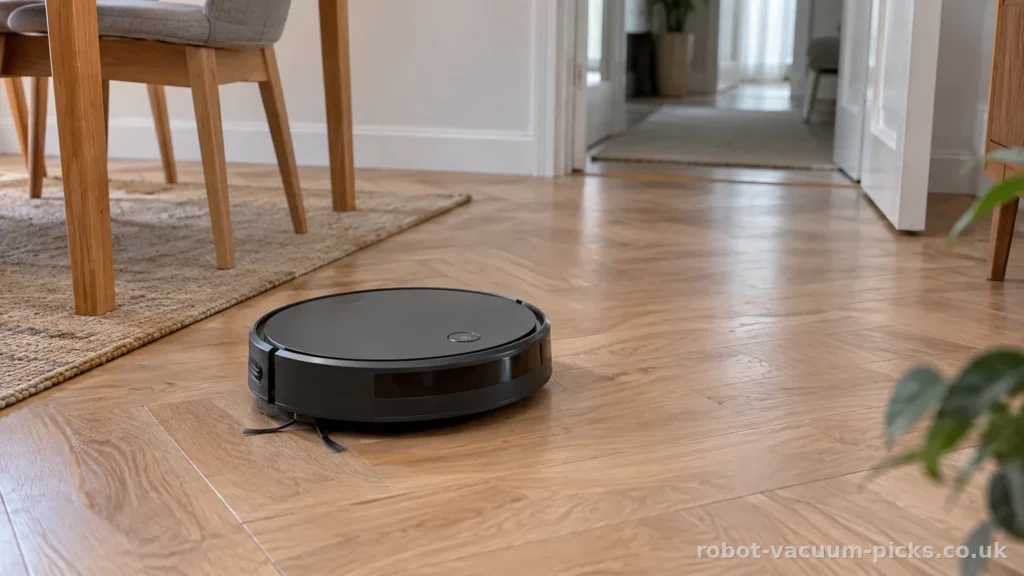
A robot that follows neat lines sounds like welcome help when vacuuming keeps swallowing your evenings. Gyroscope navigation can be worth choosing, provided its limits fit your home. It helps a robot keep its bearings; it does not automatically bring saved maps, room selection or virtual boundaries. We would consider it for straightforward, uncluttered floors and whole-floor routines. If you want to send the cleaner straight to the kitchen after tea, the controls matter more than the gyroscope label.
Contents
- Is gyroscope navigation worth it for cleaning while you are at work?
- How does a gyroscope help a robot vacuum cleaner steer around furniture?
- Does a robot vacuum route map let you clean just the kitchen?
- Which robot vacuum cleaner suits a large house or a rug full of dog hair?
- What should you sort out before choosing gyroscope navigation for daily cleaning?
- Frequently asked questions
- Is a gyroscope enough to map a home and set no-go zones?
- Can a robot vacuum with gyroscope navigation clean several rooms?
- Can gyroscope navigation work in the dark?
- Why does a gyroscope robot vacuum go over the same spot again?
- Does gyroscope navigation prevent falls down stairs?
Is gyroscope navigation worth it for cleaning while you are at work?
Yes, if you want an orderly whole-floor routine and your layout is straightforward. Gyroscope navigation gives a robot a reference for its direction, helping it organise passes instead of relying entirely on changes of direction after encounters with furniture. That can suit someone who clears the floor, starts a full cleaning cycle and heads out. The important distinction is between following a methodical route and understanding the rooms around that route.
Coming home to floors already attended to is a reasonable ambition. Wanting the robot to recognise the dining room, leave the study alone and remember a boundary beside the dog’s bowl is a different brief. A gyroscope label does not establish any of those controls. A tidy route animation can look reassuring, but the useful detail is what you can actually tell the cleaner to do.
We like the simplicity of a whole-floor routine in a home where doors stay open and furniture rarely moves. If your main nuisance is loose crumbs after an after-school snack, you may not need a detailed digital floor plan. You still need a route through the furniture, a prepared floor and realistic expectations about repeated passes. A robot should reduce the chore rather than appoint you its traffic controller.
Consider the layout before the number of rooms. A relatively open flat and a floor divided by awkward passages ask different things of navigation. Dining chairs pulled away from the table, a laundry basket in a doorway and furniture shifted for visitors all change the space available. The more complicated that space becomes, the less persuasive a neat route graphic is as your main reason for choosing.
Our reservation grows if you regularly want different rooms cleaned on different days. In that situation, prioritise saved maps and the relevant app controls. Buy for the instructions you want to give, not the lines you want to see. Write down the job you want done while you are out, including any areas you want excluded. If the answer is simply a full clean of an accessible floor, gyroscope guidance remains a sensible possibility. If the instruction needs named rooms and virtual boundaries, choose those functions explicitly.
How does a gyroscope help a robot vacuum cleaner steer around furniture?
A gyroscope measures rotation. In a robot vacuum cleaner, that information helps the software estimate changes in direction, hold a heading and organise turns between passes. It does not look across the room, identify a doorway or directly measure the distance to the skirting board. Think of it as help with orientation, rather than a picture of the house.
Other sensors can contribute to the position estimate. Depending on the design, wheel sensors estimate movement from wheel rotation, an accelerometer measures acceleration, and a downward-facing optical sensor tracks movement relative to the floor. The software combines the available signals to decide where the robot is likely to be. The resulting route can look deliberate without being anchored to a detailed, lasting map.
The weakness is cumulative error. A small discrepancy in estimated movement can affect where the robot thinks the next turn should happen. Further movement can add to that discrepancy. This is why orderly navigation and accurate positioning are related but separate qualities. Straight passes do not prove that the robot knows precisely which room it occupies, or that it will remember that room for tomorrow’s clean.
Furniture also shapes the route. A clear stretch of floor gives the cleaner room to follow planned passes; a cluster of dining chairs interrupts them. That does not make gyroscope navigation pointless. It means you should judge it against the floor you actually have, including chair legs and the narrow route beside the sofa, rather than an empty rectangle.
Repeated visits to the same patch deserve context. Some overlap can be part of covering the floor, while interruptions and position errors can also bring a robot back over familiar ground. The useful question is whether the overall routine suits your home. A beautifully drawn line has little appeal if the accessible floor still needs your attention afterwards.
Prepare the room before expecting navigation to organise the clean. As manufacturers’ instructions require, clear cables, small objects and socks from the floor before a cleaning run: this is room preparation, never a capability of the robot. Leave a usable route between the spaces you want cleaned. The charging cable beside the armchair still belongs on your preparation list, however orderly the navigation sounds.
Does a robot vacuum route map let you clean just the kitchen?
A line drawn in an app is not automatically a reusable map. A route display may show where the robot estimates it has travelled during the current clean. A saved map gives the software a persistent representation of the home. Room selection and no-go zones require their own controls as well. These distinctions matter when you want a quick kitchen clean after dinner instead of another tour of the whole floor.
Read the feature description in that order: saved mapping, room selection, then virtual boundaries. Treat each as a separate requirement. An illustration showing parallel tracks establishes none of them by itself. A recognisable outline can look reassuring, but the practical question is what instructions the app lets you attach to it. Can you select the space you want cleaned and exclude the space you want left alone?
Docking needs the same careful distinction. Returning to the dock does not necessarily mean that a robot can recharge and continue unfinished cleaning. Look for an explicit recharge-and-resume function if interrupted cleaning would disrupt your routine. Otherwise, successful docking and successful completion of the remaining floor are easy to confuse.
The navigation category also needs care. Random navigation changes course without the same organised heading reference. Gyroscope guidance adds that reference. Laser and camera systems can use external surroundings to help establish position, rather than relying solely on estimates of movement. Yet the category still does not replace the individual feature description. LiDAR does not, by itself, promise every app control you might want.
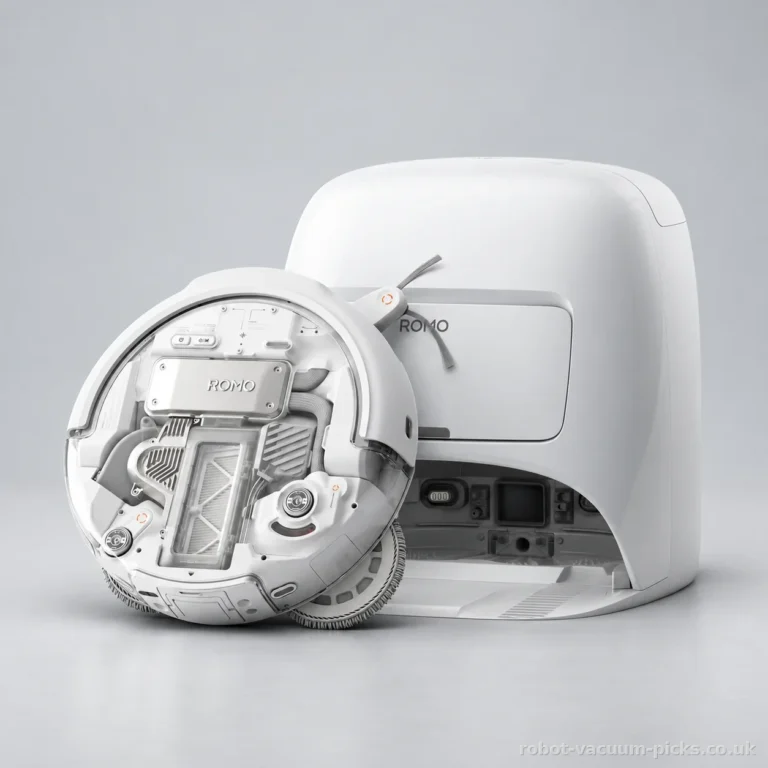
The DJI Romo A illustrates the distinction well. It combines laser and camera navigation with verified no-go zones and multi-floor mapping. Those are concrete reasons to consider it if virtual boundaries and stored layouts matter to you. Its navigation description becomes useful because the accompanying functions address particular household jobs.
The Cecotec Conga Y60 Pearl has LiDAR navigation and recharge and resume. Those functions support continuing unfinished cleaning, an important consideration for a longer routine. We would avoid choosing primarily by gyroscope guidance if your central request is “just the kitchen”. For that buyer, reusable mapping with room selection belongs at the top of the requirements, ahead of any attractive route animation.
Which robot vacuum cleaner suits a large house or a rug full of dog hair?
Navigation should not swallow the rest of the decision. A cleaner can follow a sensible route and still demand more bin emptying than you want. Equally, a long runtime figure does not establish how much floor it will finish before docking. Start with the size of the home, then the amount of debris, then the controls needed to organise the clean.
For a large house, the Cecotec Conga Y60 Pearl is the stronger fit among these choices. Its maximum coverage of 200 m² is the highest in this group, a useful distinction for a house with several living spaces. Maximum floor coverage usually assumes recharging and resuming cleaning, potentially more than once, rather than a single cleaning run. Leave room in your schedule for that process.
Its auto-empty station also reduces the routine of manually emptying the robot, although the station brings its own upkeep. Its robot dustbin holds 350 mL, a typical capacity. That distinction matters when comparing a cleaner with a station against a cleaner whose appeal centres on a larger onboard bin.
If dog hair fills the bin before you would like, the Neato D9 makes a more relevant case. Its 700 mL robot dustbin is the largest in this group and allows longer intervals between emptying. The capacity gap across these choices is substantial, so this criterion really separates them. Its maximum coverage of 150 m² is the lowest in the group, making it a less convincing choice for a very large home.
The DJI Romo A has a 260 mL robot dustbin, the smallest here; pet hair makes frequent emptying particularly relevant. Its suction rating of 25000 Pa sits among the stronger figures in the selection, a potential advantage for carpets. Each manufacturer measures suction pressure in pascals in its own way: the figure helps position a model, but does not promise a clean carpet.
Runtime figures are close enough here that we would not use them as the deciding factor. Advertised runtime is obtained on the gentlest setting: stronger suction or mopping shortens the cleaning run. A long advertised runtime does not tell you how much floor the robot will finish before recharging. Choose coverage for the layout and bin capacity for the mess. A rug collecting dog hair every afternoon makes the bin question particularly pressing.
What should you sort out before choosing gyroscope navigation for daily cleaning?
Begin with your usual cleaning instruction. If it is “clean the accessible floor while I am out”, gyroscope navigation can suit a straightforward layout. If it is “clean this room and keep away from that corner”, prioritise saved mapping and verified controls. A warning sign is a description that celebrates organised movement while omitting the room controls your routine needs.
Next, decide where the dock will live and how you will reach it. A station needs a practical home, rather than the last spare corner beside the kitchen bin. Consider its footprint and access for routine care, including emptying, mop washing and drying where those functions are included. Check the robot’s dustbin capacity separately from the dock’s bag capacity: a large bag does not mean the robot can carry more dirt between visits to the station.
Keep mopping separate from navigation in your decision. The Conga Y60 Pearl offers supplementary mopping, with no established scrubbing system. It can accompany vacuuming, but we would keep the household mop. The Romo A uses rotating discs and has verified mop lifting on carpets. Those details matter where kitchen flooring meets a living room rug; a gyroscope label says nothing about either function.
For unfinished, waxed or poorly sealed wooden flooring, manufacturers advise checking that the floor can tolerate moisture before using the mop. Think about noise and timing too. The Romo A’s 65 dB figure sits around the average, so we would not choose it specifically to accompany a quiet afternoon working from home. Scheduling the cleaning while you are out may fit your day better.
Before committing, read the warranty, returns policy and after-sales support arrangements. Look at the availability of replacement bags, mop pads and brushes. Consider the robot’s weight if carrying it is part of your intended routine, and read the app requirements, including any subscription. These details shape ownership long after the appeal of a neat navigation diagram has worn off.
Our view is straightforward: gyroscope navigation is worth considering for orderly full-floor cleaning, but room-by-room control needs explicit mapping functions. We like the simpler approach when a full clean is what you actually want. Prepare the floor, give the dock a workable home and schedule the run around your day. Less time pushing a vacuum round on Saturday morning is a sensible goal; buying by the sensor label alone is a poor route towards it.
Frequently asked questions
Is a gyroscope enough to map a home and set no-go zones?
No. A gyroscope helps estimate orientation; it does not automatically provide a saved map or virtual boundaries. For room selection and no-go zones, choose a robot with those controls explicitly included. A route drawn during cleaning is not enough.
Can a robot vacuum with gyroscope navigation clean several rooms?
Yes, an accessible layout can suit a whole-floor routine. That differs from recognising named rooms or letting you select them individually. Consider maximum coverage and recharge and resume alongside navigation. Keep routes between the spaces you want cleaned clear.
Can gyroscope navigation work in the dark?
The gyroscope itself measures rotation and does not need room lighting. The complete navigation system may also use other sensors, so choose according to the whole system. A gyroscope label alone should not decide which cleaner you schedule after dark.
Why does a gyroscope robot vacuum go over the same spot again?
Its position is an estimate built from movement signals, and small errors can accumulate. Furniture can also interrupt planned passes. Repeated coverage does not necessarily mean random navigation, but frequent repetition matters if you want a predictable whole-floor routine.
Does gyroscope navigation prevent falls down stairs?
No. Measuring rotation is a different job from recognising a drop. Treat stair protection as a separate manufacturer-specified function, rather than an advantage implied by gyroscope navigation. Follow the manufacturer’s instructions for use around stairs.
Was this article helpful?
0% of readers found it helpful (0 reviews)